Every relationship starts with you.

MapWho turns the people you know into a living map, not a list — friends, family, clients, contacts. See how you're connected, find a warm way in to someone new, and never lose touch with the people who matter. Use it as a companion to make notes instantly, prepare for catchups and make calls or texts instantly.

Launching soon on iOS, with Android to follow.

Me
01

Add the people you know

Start with yourself, then add anyone — family, friends, colleagues. Each person gets their own coloured node on the map. Add special notes about each person.

02

Connect who knows who

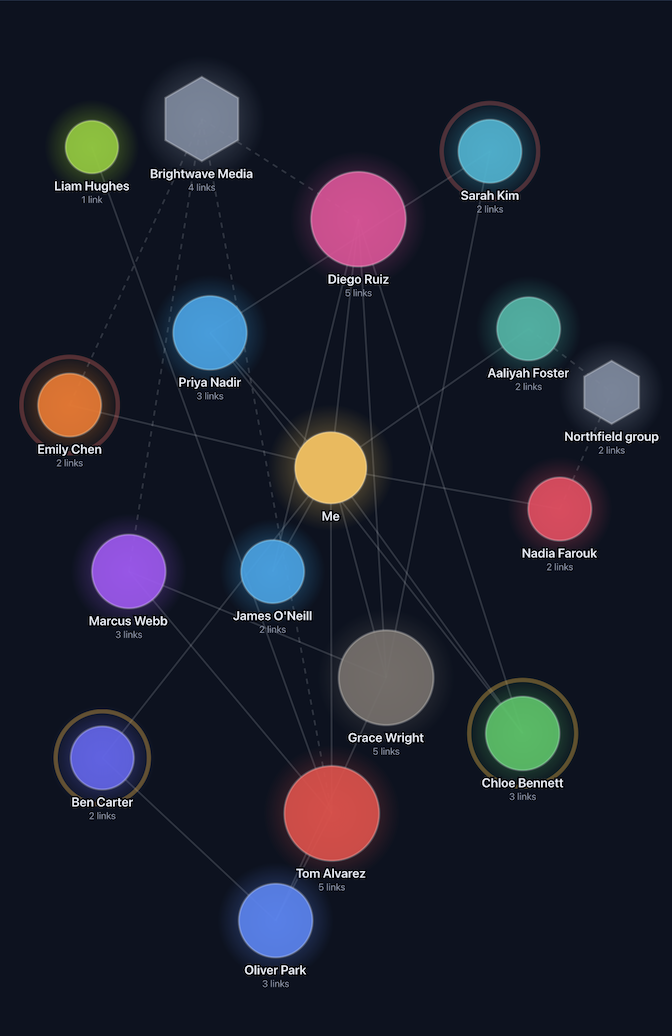
Link two people who know each other. The more connections someone has, the bigger their circle grows.

03

Discover your routes

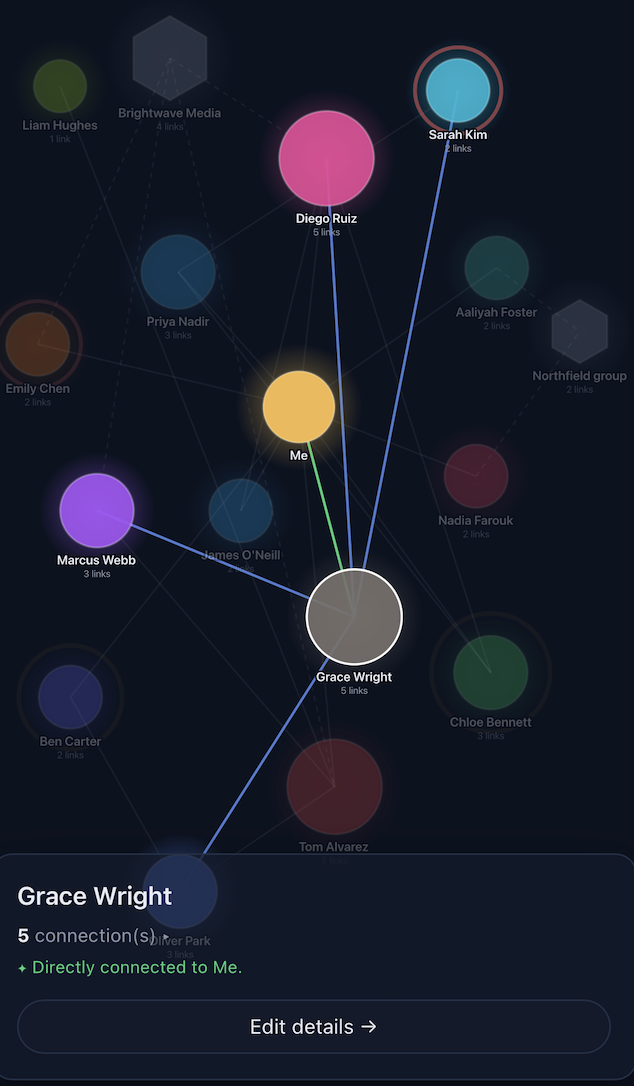
Tap anyone to see how you're connected — directly, or through someone you already trust. MapWho traces a path through your network and shows you who can make a warm introduction.

Features

Everything that makes the map worth looking at.

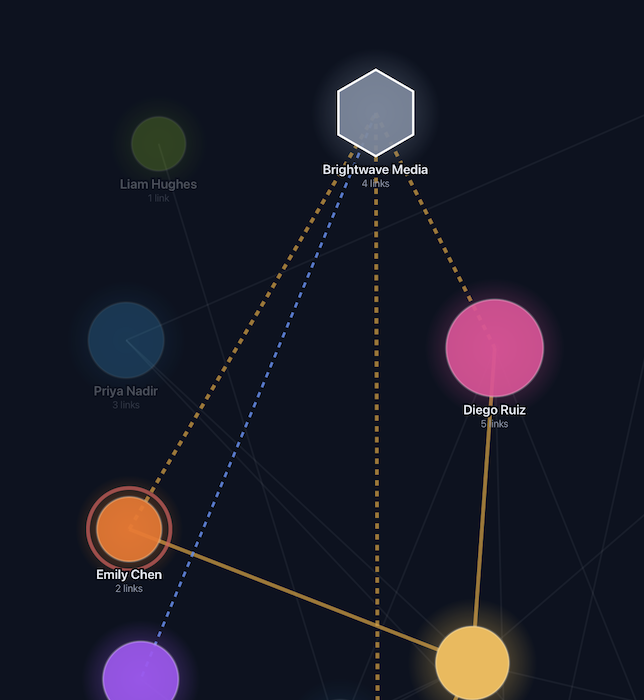
A selected contact showing their direct and indirect connections

Build your picture

Add the people you know, and connect anyone who knows each other. The more connections someone has, the bigger their circle grows.

Import instantly

Pull straight from your phone's contacts instead of typing everyone in by hand — pick who you want, and they're on the map in seconds.

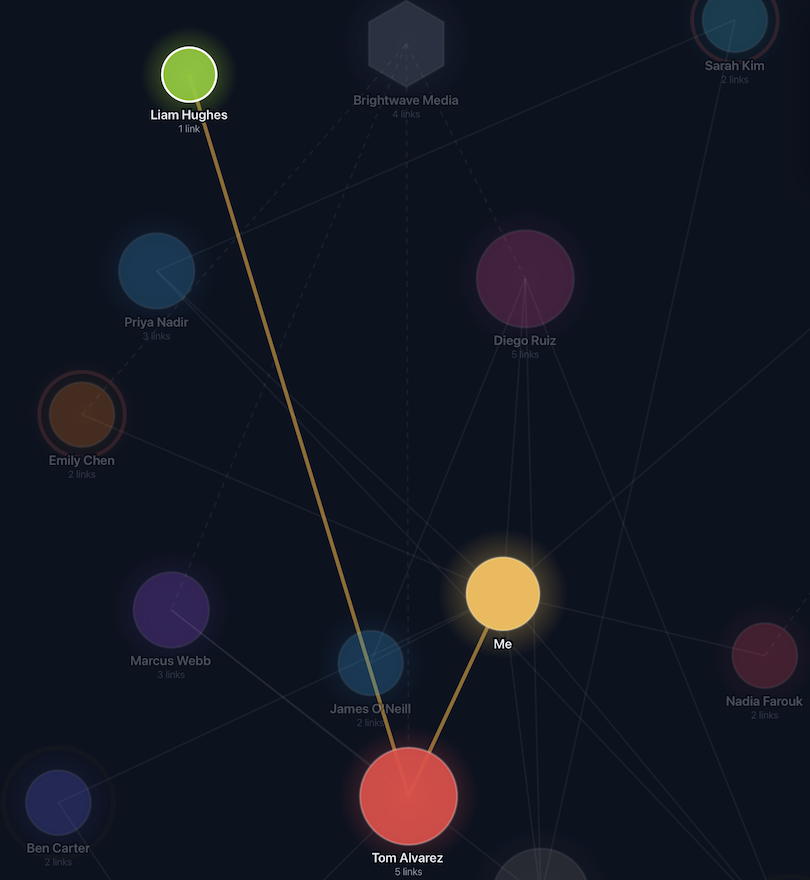
A warm route highlighted between two people on the map

Find a way in

Tap anyone to see how you're connected. A green line means you know them yourself — a pulsing line means you could reach them through someone you already trust. The same trick that makes an introduction feel natural at a party works just as well for a client you'd like to meet.

The full map with several overdue and due-soon reminders pulsing

Never lose touch

Set how often you'd like to stay in touch with someone, and a gentle amber pulse lets you know when it's time to reach out, a red pulse lets you know it's been too long. Special dates like birthdays and anniversaries included.

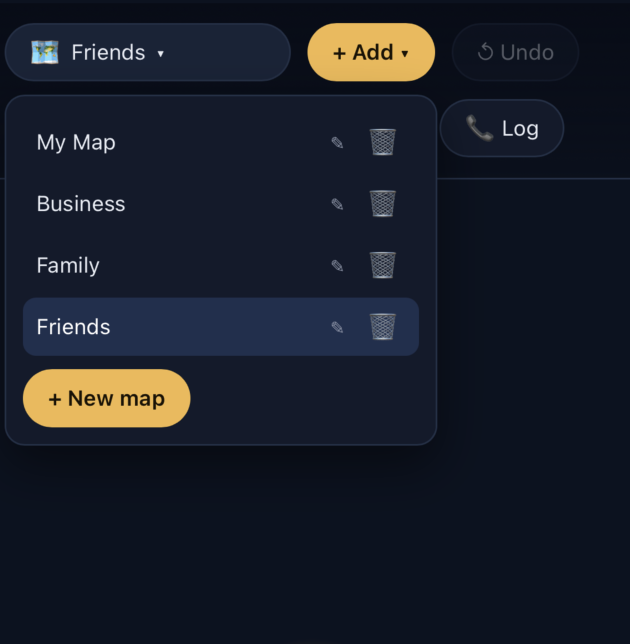
The map switcher showing several independent maps: My Map, Business, Family, Friends

Keep things separate

Create as many maps as you like — family, work, friends — each completely independent, with the same features in every one.

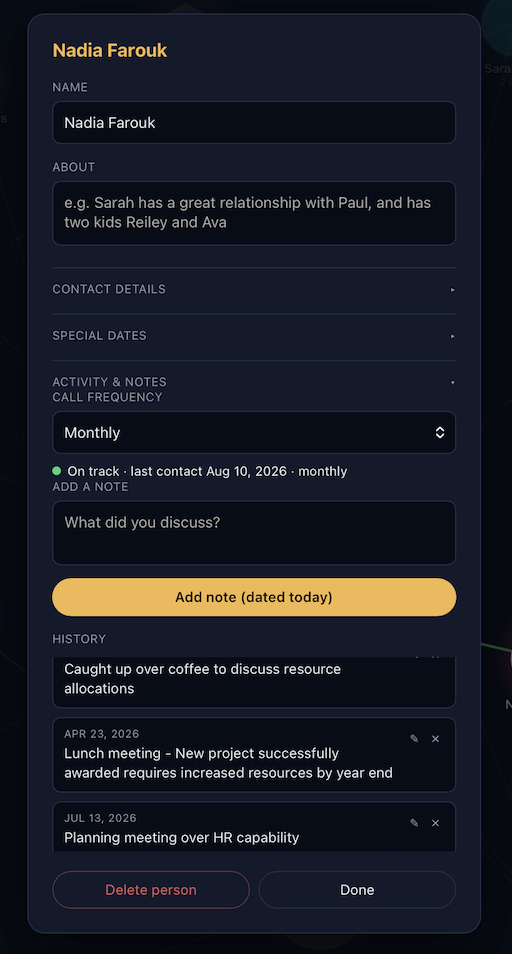
A contact's full note history

Turn it into a report

A full timestamped history of every catch-up, call, and conversation. Never wonder "when did I last reach out" again. Keep instant notes and records of activities, ready to export to a spreadsheet or print out, whenever you need it.

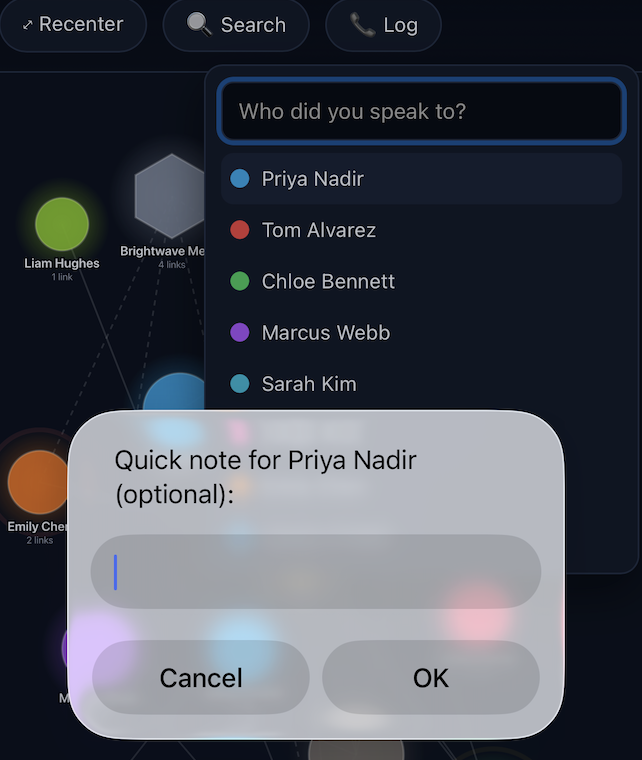
Quick Log dropdown for logging a catch-up in one tap

Quick Log

From the main screen, log an interaction with one press of a button — an entry dated today, for any person, in seconds.

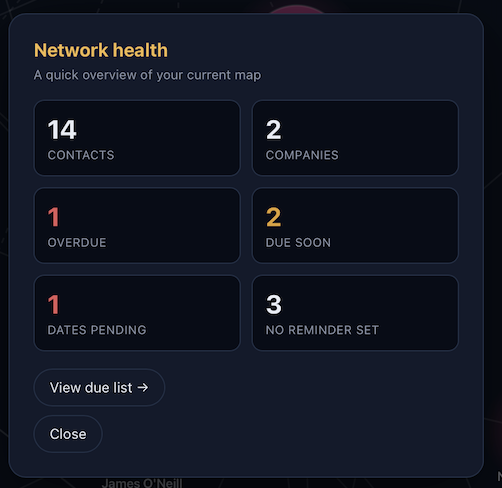
Network health overview showing contacts, overdue, and due soon

Network health

A quick-glance overview of your whole map — contacts, companies, who's overdue, and what's coming up — so you always know where you stand without hunting for it. Use it as your heartbeat, from within the app see who needs contacting, make the call, and log it all in one place seamlessly.

A company node linked to several people who work there

Group around a company

Add a company or organisation as its own node, and link everyone who's part of it. Give the company its own reminder cadence too — handy when you need to stay in touch with a place, not just one person there.

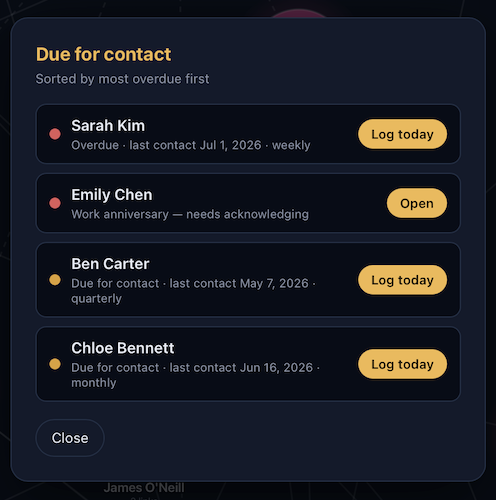
The Due for contact list, sorted by most overdue first

Due for contact

One list of everyone you're overdue to reach out to, sorted by how overdue they are, with a one-tap way to log today's catch-up right from the list. Use it as a daily tool, keeping all your records and information to yourself, and print out your activity to prepare reports if needed.

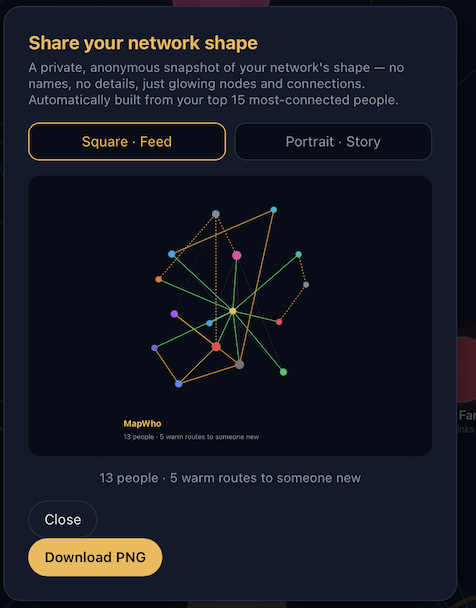
An anonymous, shareable snapshot of a network's shape

Share your shape

A private, anonymous fun snapshot of your network — glowing nodes, no names — ready to post. Nobody sees who's in it but you. Create your shape and share it!

Reach out instantly

Call, message, or email straight from someone's profile — no copying a number into another app first. If it's there, it's one tap away.

🔒

Your data stays yours.

Everything you enter lives only on your own device. No login, no cloud sync, no third party. MapWho has no server, no analytics on your data, and no advertising. Nothing is ever uploaded anywhere unless you choose to export it.

Questions

A few things people ask.

Is my data private?

Yes. Everything stays on your device — no accounts, no cloud servers, nothing shared with anyone else unless you choose to export it yourself.

Do I need an account or internet connection?

No. MapWho works entirely on your device — no sign-up, and no connection required for everyday use.

Can I use it across my phone and tablet?

Cross-device sync is on the roadmap for a future update, so your map will eventually be able to follow you between your phone and tablet automatically. For now, you can move a map between devices any time with export/import.

Is it just for work, or personal use too?

Both. Create as many separate maps as you like — one for family, one for work, one for friends — each fully independent.

What does it cost?

Free, for up to 20 people and one map — plenty for most people. MapWho Plus removes that ceiling (up to 400 people, unlimited maps) for $3.99/month (USD) or $34.99/year (USD), for anyone with a bigger network to track.

Get MapWho

Join the waitlist below and be first to know when MapWho launches.

Join the waitlist
Coming soon on theApp Store
Coming soon toGoogle Play